
Web Application Practice

1. Introduction

The following three small projects are a few exercises I worked on while learning web development. Since they are quite interesting, I decided to deploy them on this website.
2. Environment

  • Html/CSS
  • JavaScript
  • Node.js

3. GPA Caculator

GPA Calculator | Github

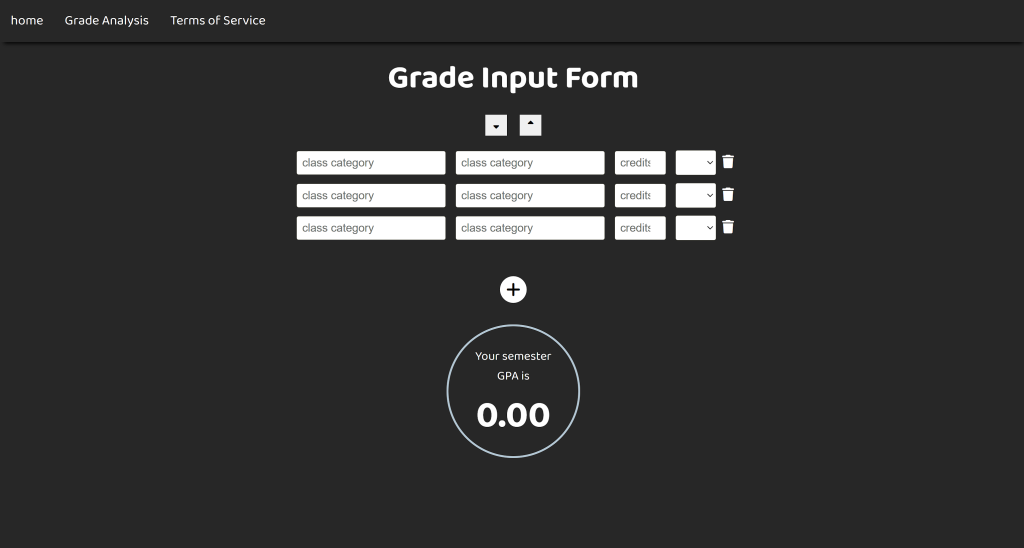
The website linked hosts a GPA Calculator, a tool designed to help users calculate their Grade Point Average (GPA) based on the grades and credits of their courses.

1. Input Fields:

  • Users can enter their course names, number, grades, and corresponding credits.
  • There are dynamically generated rows to add or delete courses, allowing flexibility for any number of inputs.

2. Calculation Logic:

  • The GPA is calculated based on the formula: 
  • The app computes the weighted average of grades with credits acting as weights.

3. User Interaction:

  • After the user selects a grade, its rate is dynamically reflected through color changes.
  • Any changes to credits or grades will be quickly detected and reflected in the calculated GPA.
  • If
  • Users can reset or clear inputs to start over.

4. Snake zzz

Snake zzz | Github

This page hosts a Snake Game, a classic game where players control a snake to collect food while avoiding collisions with walls or itself.

  1. Core Gameplay:

    • The snake moves in a grid-based environment and grows in size every time it eats fruit.
    • The player loses the game if the snake collides with the walls (Customizable) or itself. 
  2. User Controls:

    • The snake’s direction is controlled using keyboard arrow keys.
    • Real-time input handling ensures smooth gameplay.
  3. Dynamic Elements:

    • The position of the food is randomly generated each time the snake eats it.
    • The snake’s length dynamically increases with every food item consumed.
  4. Scoring System:

    • A score counter increments as the snake eats food, providing immediate feedback to the player.
  5. Technical Aspect
    • The game grid and snake are rendered dynamically using the <canvas> element.
    • A setInterval or requestAnimationFrame loop handles the continuous movement of the snake and updates the game state.
    • Handling edge cases like reversing the snake’s direction or detecting collisions accurately.
    • Balancing game speed as the snake grows longer to maintain playability.

5. AutoLogin for Science Tokyo

Github 

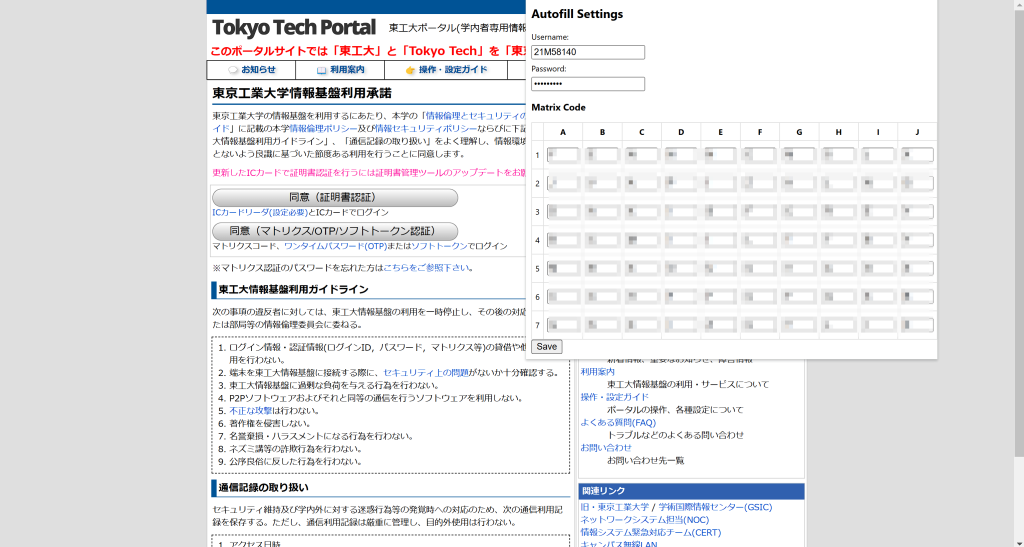
Autofill TokyoScience is a Chrome extension designed to streamline the process of completing forms on the Tokyo Science website. It enhances efficiency and reduces manual input errors.

  1. Features:

    • Automatic Form Filling: Detects form fields on the Tokyo Science website and populates them with pre-saved user information.
    • Customizable Data Entries: Allows users to manage and update their personal information to ensure accurate autofill results.
    • Secure Data Storage: Utilizes Chrome’s local storage to keep user data safe and private.
  2. Usage:

    • Access the Tokyo Science Website: Navigate to the relevant page where form filling is required.
    • Activate the Extension: Click on the Autofill TokyoScience icon in the Chrome toolbar.
    • Fill Forms Automatically: The extension will detect and populate the form fields with your saved information.
    • Submit the Form: Review the filled information for accuracy and submit the form as usual.
  1. Features:

    • Automatic Form Filling: Detects form fields on the Tokyo Science website and populates them with pre-saved user information.
    • Customizable Data Entries: Allows users to manage and update their personal information to ensure accurate autofill results.
    • Secure Data Storage: Utilizes Chrome’s local storage to keep user data safe and private.
  2. Usage:

    • Access the Tokyo Science Website: Navigate to the relevant page where form filling is required.
    • Activate the Extension: Click on the Autofill TokyoScience icon in the Chrome toolbar.
    • Fill Forms Automatically: The extension will detect and populate the form fields with your saved information.
    • Submit the Form: Review the filled information for accuracy and submit the form as usual.